 Fellow Canadians: All inFlow plans are available in Canadian dollars




 Home
Home


How to disassemble products in inFlow
In inFlow, you can make the most of our Manufacturing features to assemble and disassemble your products easily. Check out the details below to discover how it all works!
How to disassemble a product
In inFlow, you can disassemble finished goods with a bill of materials on the Manufacturing tab. To split a finished product back into its original components:
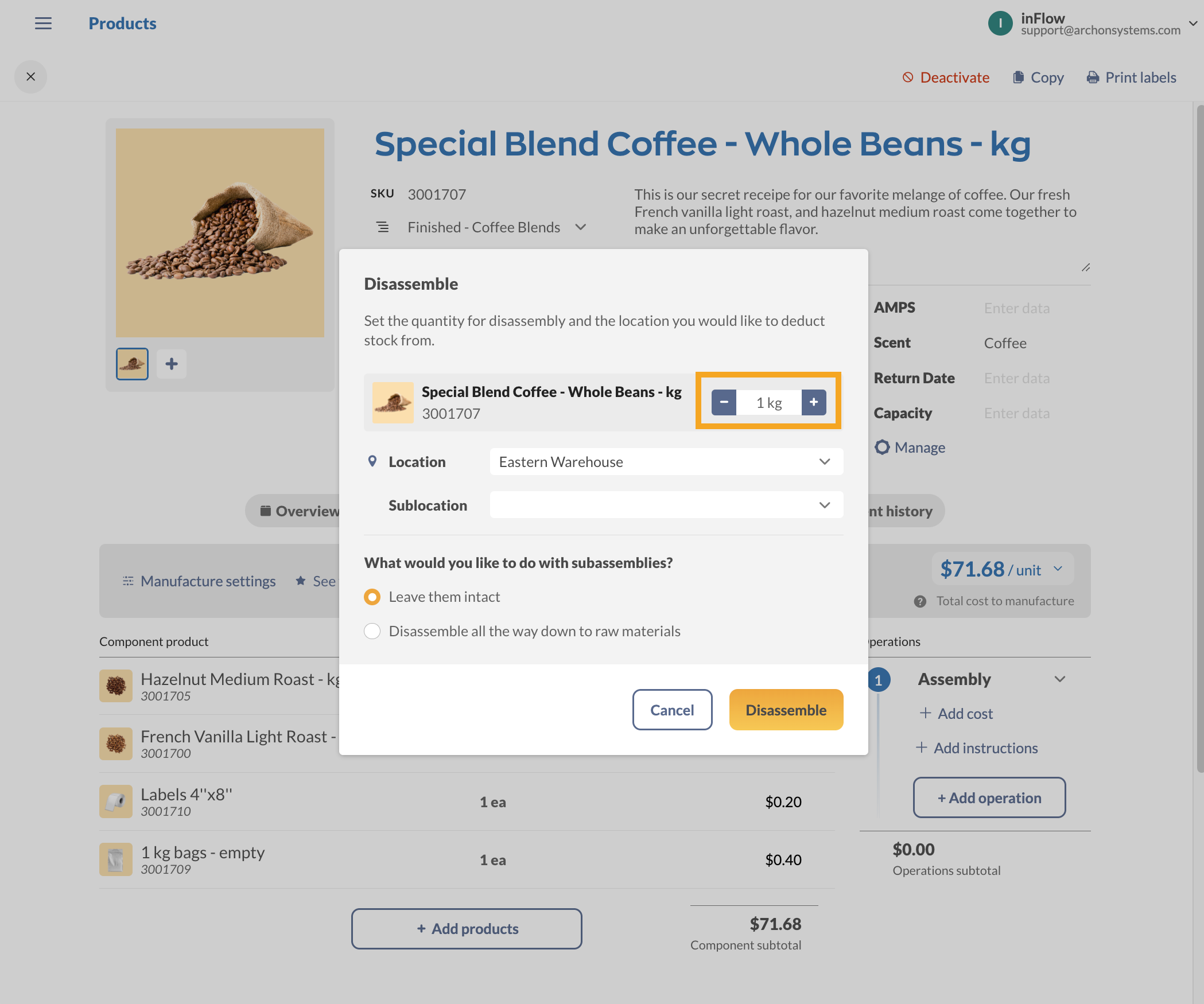
- Open a product, select the Manufacturing tab, then Disassemble.
- Select the quantity you want to disassemble.
- Select the location and optional sublocation.
- Click Disassemble.
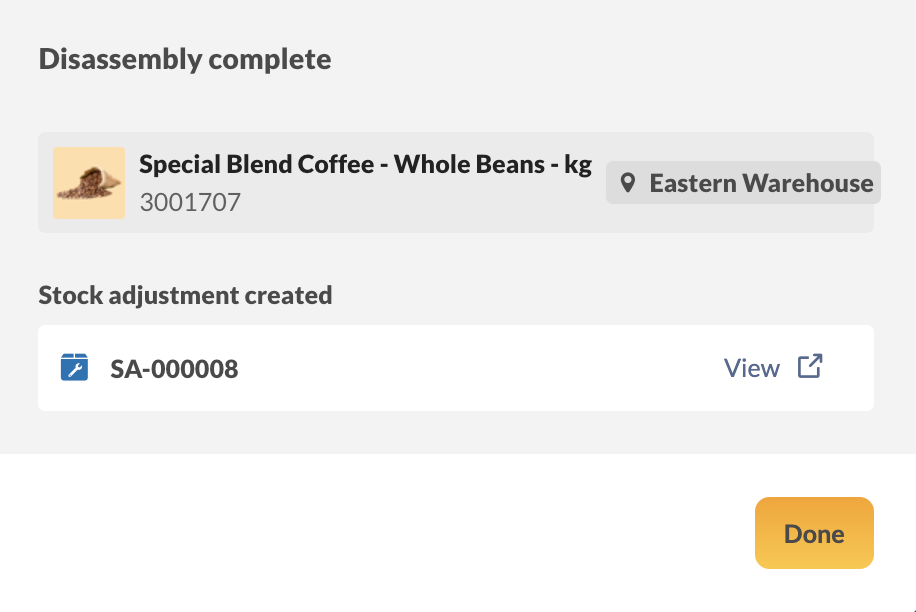
- A stock adjustment will be created when the disassembly is complete. The finished product quantity levels will be reduced, and new quantities will be added to the parts that were disassembled, based on the bill of materials.
- You can select View next to the order to look at the stock adjustment in a new tab.
- When finished, click Done.
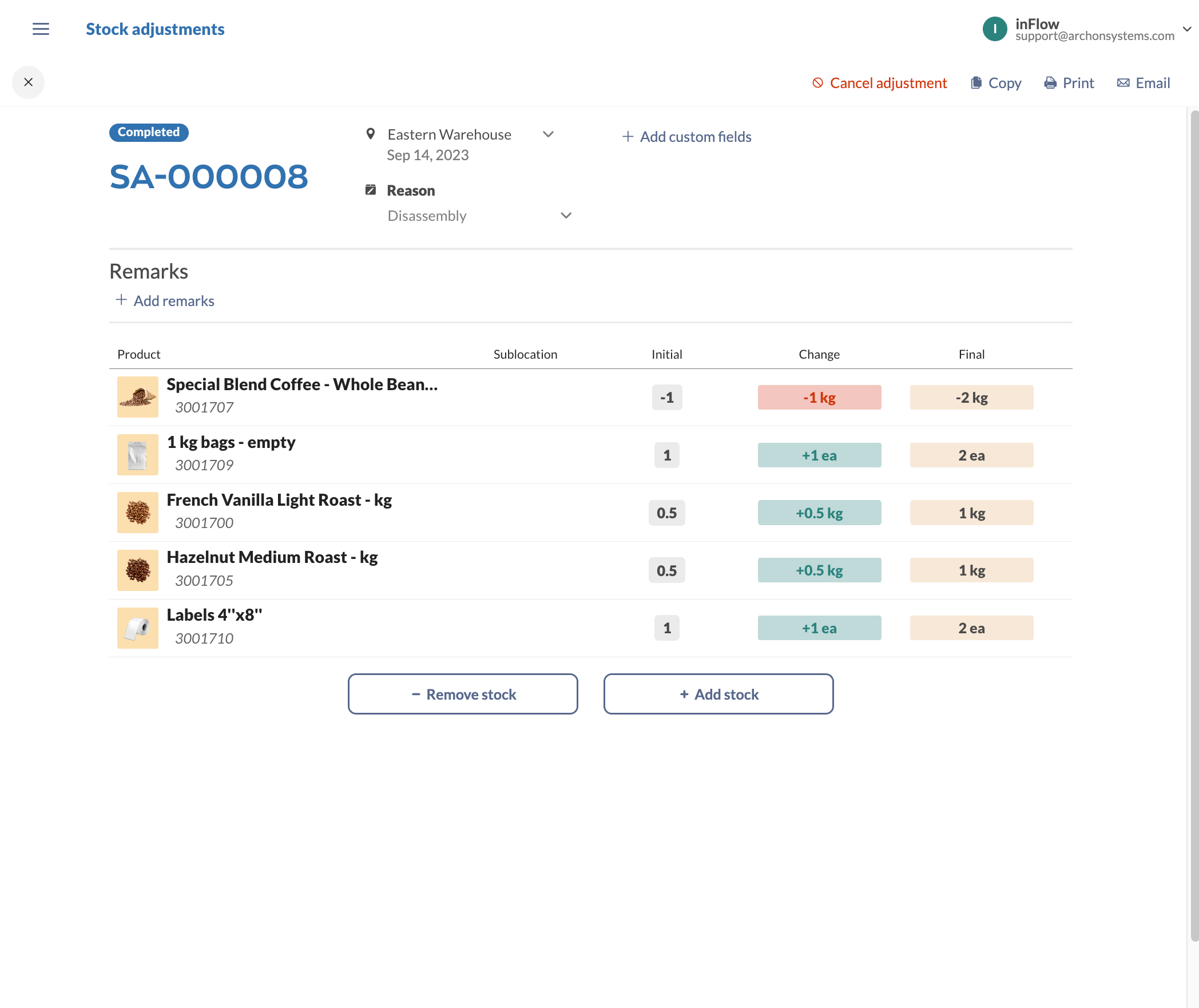
Disassembly stock adjustment
When disassembly is complete, you can review the stock adjustment, which shows the quantity levels for finished products that were reduced and for component products that were increased.
 Yes, thanks!
  Not really

0 Comments