 Fellow Canadians: All inFlow plans are available in Canadian dollars




 Home
Home


How to deactivate (delete) products, customers, or vendor records
Did you make a mistake and need to delete records? Unfortunately, it’s not possible to delete products, customers, or vendors in inFlow. However, you can deactivate them so they do not appear in your listing views (unless you’re specifically looking for them).
Web
Take a look at the video below for steps on deactivating products and canceling orders. And there are steps on how to find these deactivated records should you need them again.
Deactivating a record
- Open the record (Product, Customer, or Vendor). If you intend to recreate this as a new record, rename it before deactivating it. This is because inFlow does not accept duplicate names, regardless of whether the record is activated/deactivated.
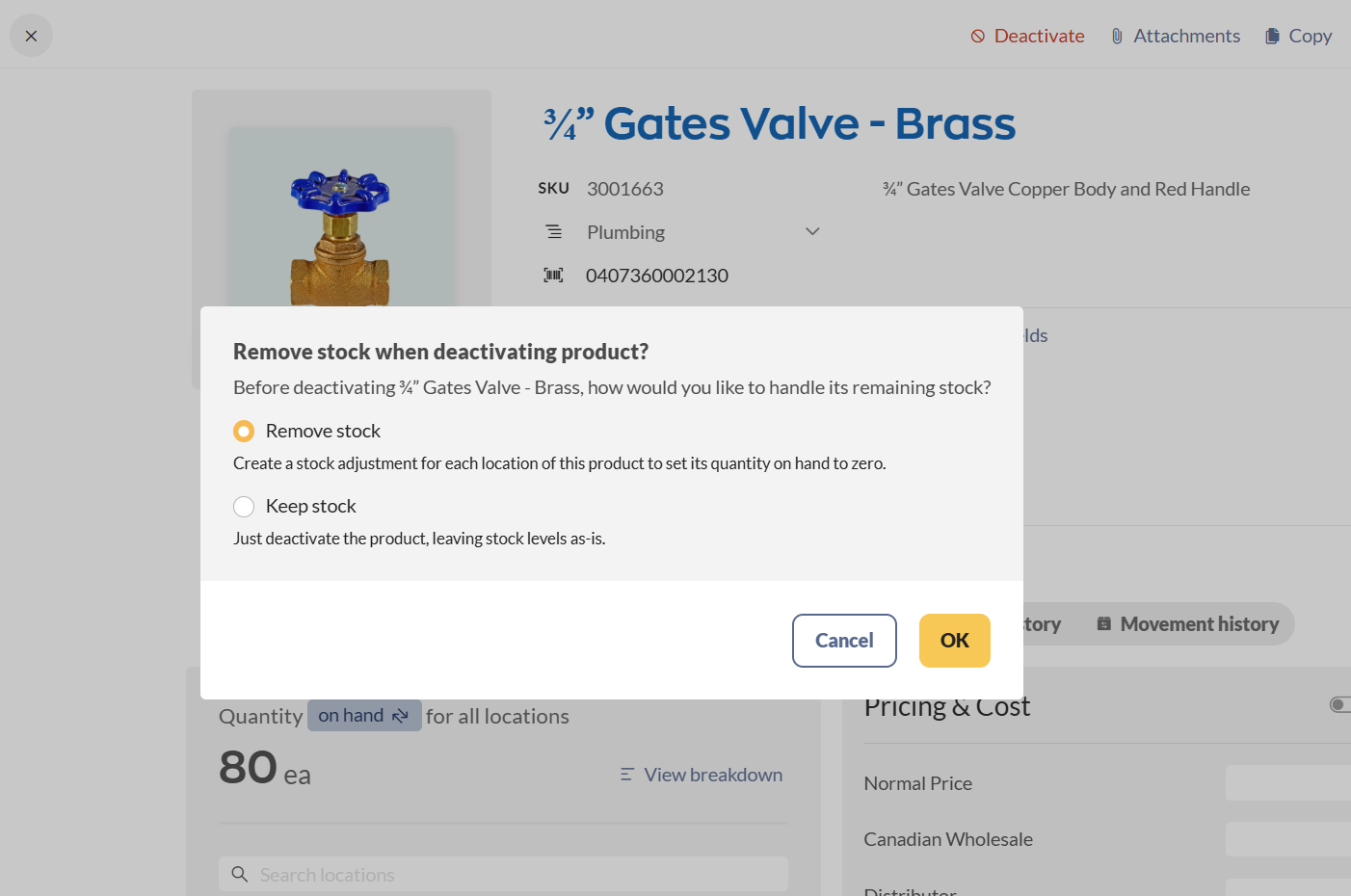
- Click the Deactivate button in the Action bar. If deactivating a product, inFlow can automatically create a stock adjustment to clear existing stock, or you can leave it as-is.
If you keep the stock, then inFlow will still show the record in your Current stock window. You can always zero out your stock later. - Click Ok.
- Save the product, customer (etc) record.
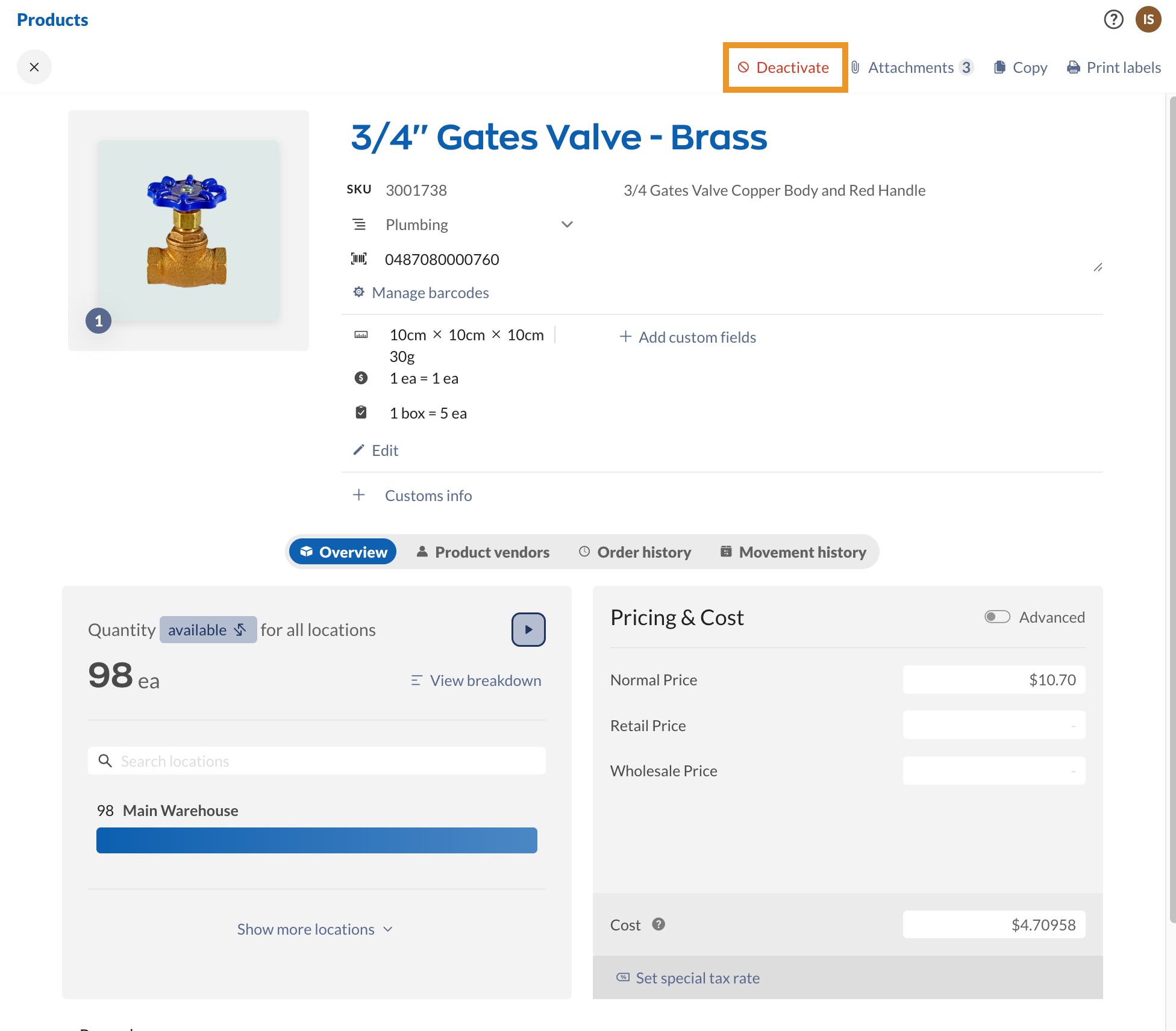
Accidentally deactivated a record? Here’s how to reactivate it!
Replacing/creating a new record
For products, if you want to recreate the record with all new, correct information, take a look at the Changing product types guide.
Otherwise, for all other records, select the +New button and enter the new info into the new record. As long as you’ve renamed the deactivated record, you can reuse the name.
Windows
To deactivate a record:
- Open the record (Product, Customer, or Vendor).
- If you need to re-create this as a new record, rename it before deactivating it. This is because inFlow does not accept duplicate names, regardless of whether the record is activated/deactivated.
- If this is a product record, set all stock levels for this item to zero. If you don’t do this, then inFlow will still show the record in your current stock window.
- Click the Deactivate button in the top Action bar.
- Click Save.
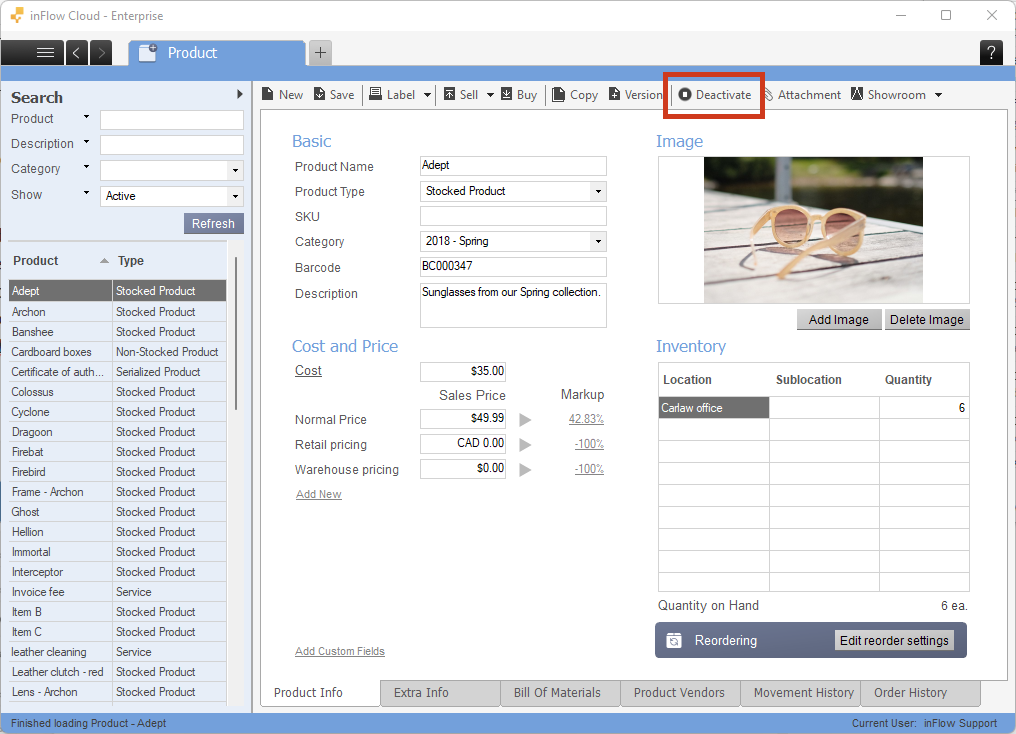
If you want to recreate the record with all new, correct information, you can now do so by clicking the New button and entering the new information. As long as you’ve renamed the deactivated record, you can reuse the name.
Accidentally deactivated a record? Here’s how to reactivate it!
 Yes, thanks!
  Not really


0 Comments