 Fellow Canadians: All inFlow plans are available in Canadian dollars





Key takeaways
- Switching inventory systems is manageable when businesses focus on data cleanup, clear ownership, and staged testing.
- Implementation timelines depend mainly on catalog size and the number of integrations. Small businesses can often go live in a few days, while mid-sized businesses typically need four to eight weeks for testing and training.
- A successful implementation follows four key steps: clean and standardize data, run a pilot, train staff, and execute the go-live during a low-activity period.
- Common implementation pitfalls include scope creep, shadow tracking, department silos, and stalled process improvements.
Switching inventory systems is moderately challenging but rarely high-risk when planned well. Most small businesses go live in a few days; mid-sized companies need four to eight weeks of phased testing and training.
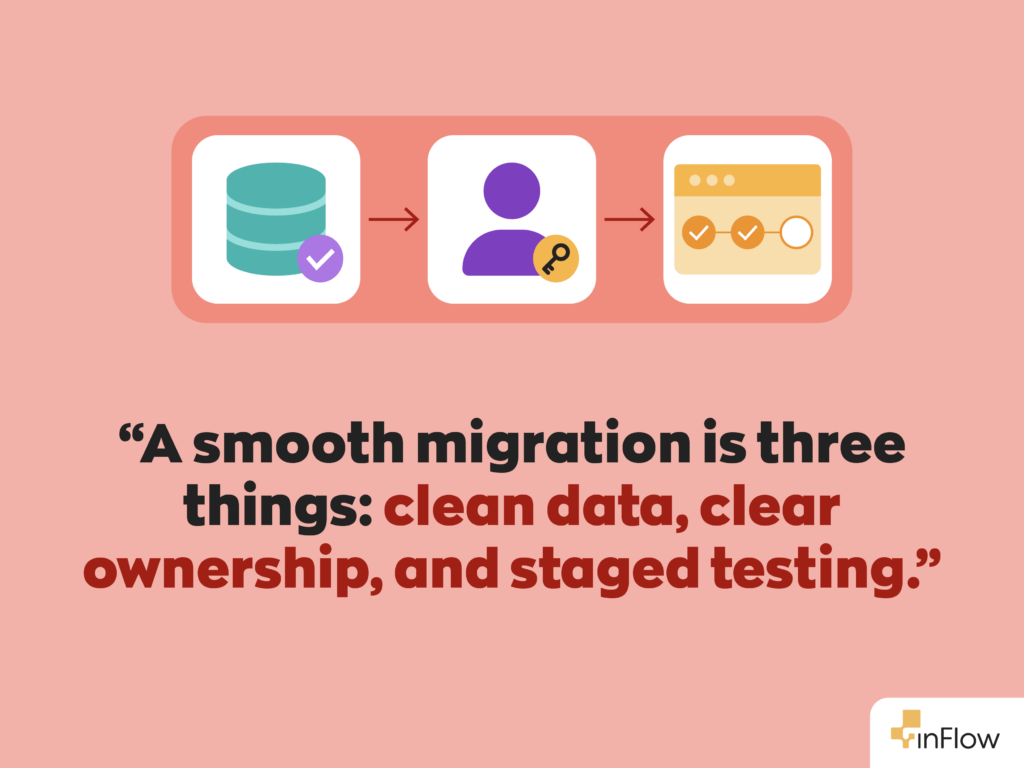
The difficulty of switching inventory systems comes mostly from preparation, not the software itself. The companies that struggle are usually the ones that skip data cleanup, skip clear ownership, or rush the rollout. The ones that plan for those steps see the payoff fast.
This guide covers a realistic timeline, the team roles you need, the rollout steps, and the pitfalls that derail projects, with how to prevent each one.
How hard is it to switch inventory systems?
Switching is manageable for most businesses, not a major operational risk. Technology is rarely the obstacle. The real work is cleaning up your data, coordinating the team, and testing in stages; done in that order, it makes the migration routine.
The two-factor difficulty check
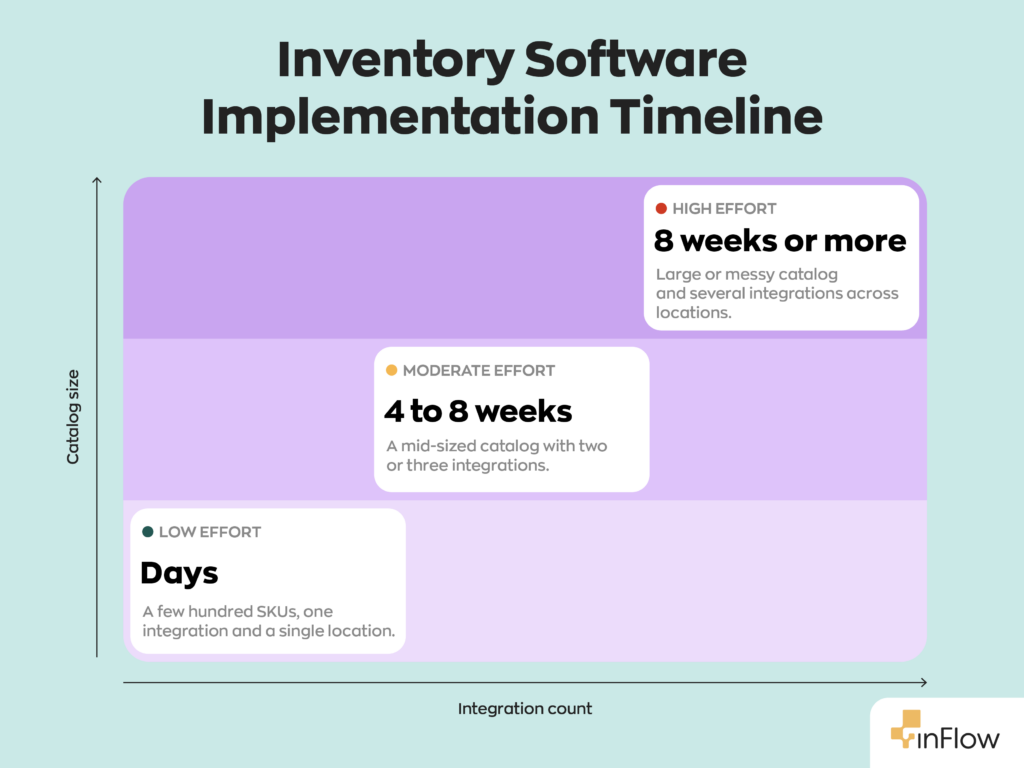
You can estimate how hard your switch will be from two things: how big your product catalog is, and how many systems you need to connect to it.
Switching difficulty ≈ catalog size × integration count.
Catalog size drives the data-cleanup effort, more SKUs, units, and supplier records to standardize before import. Integration count drives the testing effort, because each connection to accounting, ecommerce, or an ERP has to be mapped and then verified in both directions. The two compounds: a large catalog syncing to several systems is the slow, high-effort case, while a small catalog with one integration is fast and low-risk.
Run yourself through it before you start:
- Low effort (days): small, clean catalog; one integration. A single-location business usually lands here.
- Moderate effort (four to eight weeks): mid-sized catalog; two or three integrations. Most growing businesses land here.
- High effort (eight weeks or more): large or messy catalog; several integrations across multiple locations.
The process is the same in every case. More catalog and more integrations just mean more cleanup and more testing, not a harder problem.
How long does inventory software implementation take?
Most implementations take a few days to eight weeks, depending on company size and complexity. Small businesses with simple catalogs often finish in days; mid-sized businesses typically need four to eight weeks to test workflows, train staff, and verify data.
The table below shows a typical mid-sized timeline. Figures are illustrative planning estimates, not vendor-guaranteed durations; actual timelines vary with catalog size and integration count.
| Phase | Typical duration (mid-sized) | What happens |
| Planning & team setup | Week 1 | Define success metrics, assign roles, set timeline |
| Data scrubbing & standardization | Weeks 1–2 | Clean SKUs, units, supplier records before import |
| Pilot run (sandbox) | Weeks 2–4 | Test core workflows and integrations with a small group |
| User training | Weeks 4–5 | Role-based training tied to daily tasks |
| Cut-over (go-live) | Week 5–6 | Final count, switch systems during a slow period |
| Post-launch monitoring | Weeks 6–8 | Watch for sync issues; resolve early problems |
Small businesses compress this to a few days by skipping the extended pilot. Complex, multi-location operations may extend the pilot and monitoring phases beyond eight weeks.
Phase 1: Strategy and team roles
Strong planning decides whether a rollout runs smoothly or creates daily problems. Before the first file import, set clear goals, a realistic timeline, and defined responsibilities.
Define success metrics
Decide how you will measure progress before go-live, or you will not know whether the system is working. Clear metrics let leadership see whether the investment is improving operations or creating delays. Tie each target to a daily operation, such as faster order fulfillment, fewer stock discrepancies, or more accurate reporting, rather than a vague growth goal. Measurable goals give the team direction throughout the project.
Assemble your implementation team
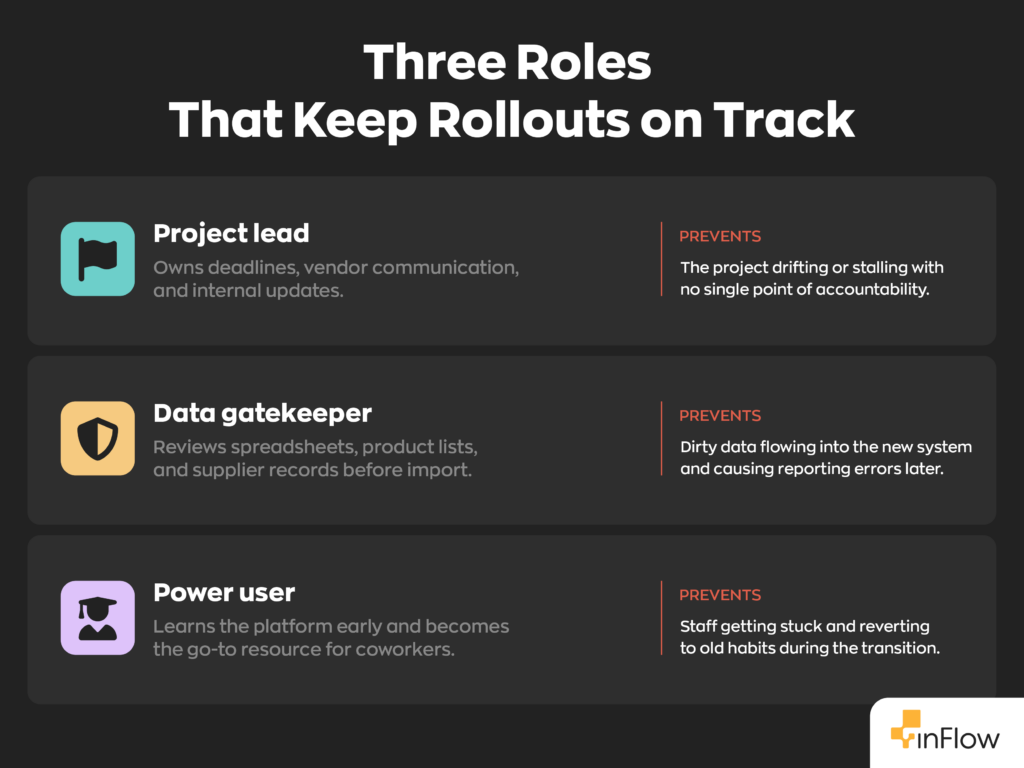
Three roles keep a rollout on track. A project lead owns deadlines, vendor communication, and internal updates. A data gatekeeper reviews spreadsheets, product lists, and supplier records before import, because clean records prevent system errors later. A power user learns the platform early and becomes the go-to resource for coworkers. Defined roles reduce confusion and help staff adapt faster once the system becomes part of daily work. Start by mapping the types of inventory you track, so the right people own the right data.
Set realistic timeline expectations
Timeline expectations matter from day one. Small businesses with simple catalogs may finish in a few days. Mid-sized companies usually need four to eight weeks for testing, training, workflow adjustments, and data verification. Rushing the process is the most common cause of avoidable post-launch problems.
Phase 2: The step-by-step implementation process
A successful rollout depends on steady preparation and testing before daily use begins. The four steps below run in order, and skipping any one is where most projects break.
Step 1: Scrub and standardize your data
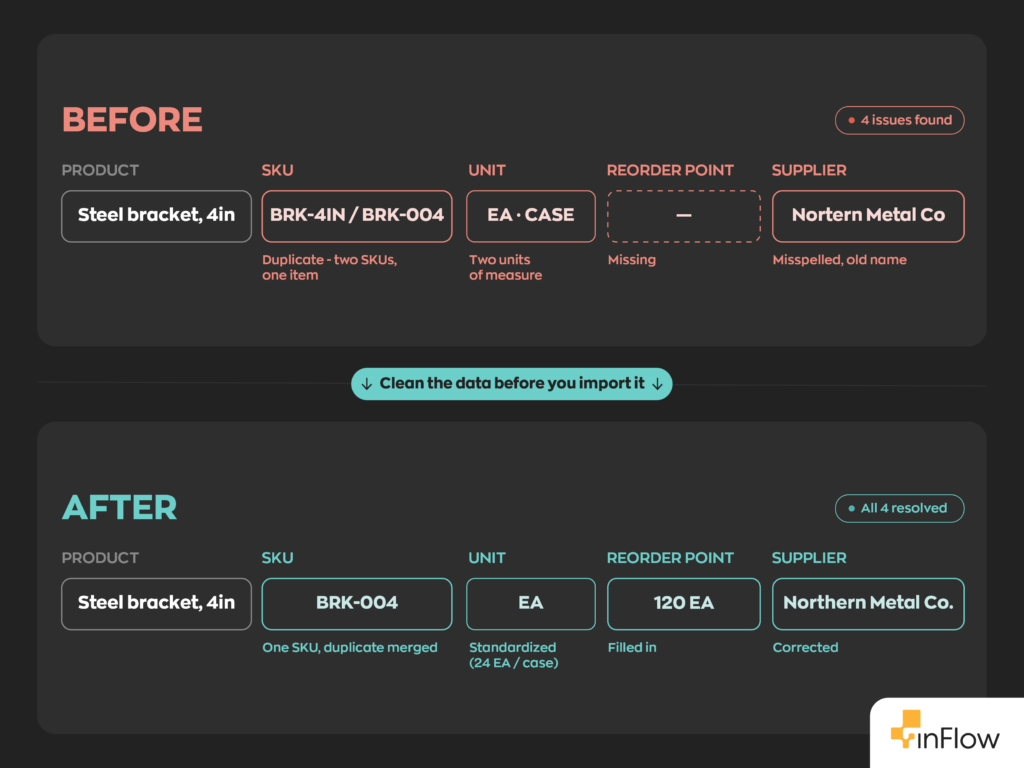
Data problems can derail an implementation before launch. Old spreadsheets often contain duplicate SKUs, outdated supplier names, missing product details, and inconsistent unit labels, for example one department recording products by case while another tracks the same item individually.
These small inconsistencies surface as reporting errors after go-live: duplicate SKUs split one product’s history across two records, and mismatched units make stock counts and valuations add up wrong. The new system inherits whatever you import, so cleaning the data first prevents the majority of post-launch reporting problems. Review all product records before importing anything. Keep SKU naming consistent across purchasing, sales, and warehouse operations, and standardize product categories and units of measure companywide.
Step 2: Run a pilot in a sandbox
Launching the whole system at once is a common, avoidable mistake. A pilot run lets a small group test workflows without risking operations. Warehouse staff can test barcode scanning, purchase orders, returns, and shipping; accounting should confirm integrations sync correctly with financial software.
Before expanding to the full team, set a clear exit criterion: run the pilot for a week or two, confirm that physical counts match the system, and verify that every integration works as expected. When those check out, you are ready to go live. Until they do, the pilot keeps any problems contained to a small group where they are still cheap to fix.
Step 3: Train users and document workflows
Train employees on their actual daily tasks, not generic features. Vendor manuals rarely explain company-specific workflows, so internal cheat sheets often work better for warehouse, sales, and purchasing teams. Assign the power user to answer questions and guide coworkers. Strong, role-based training reduces mistakes and builds confidence.
Step 4: Execute the cut-over (go-live)
Schedule cutover during a verified low-activity window agreed upon by operations and accounting; avoid financial close, peak sales periods, launches, and other critical business events unless the cutover plan specifically accommodates them. The reason is timing: lower transaction volume means fewer orders and stock movements in flight during the switch, so there is less to reconcile if something needs fixing. Complete a final inventory count before turning off the old system. Monitor closely for the first several days to catch syncing problems, missing records, or workflow issues early.
Common pitfalls and how to prevent them
Most inventory projects run into trouble after launch, not during setup. The table below pairs the four most common pitfalls with their prevention.
| Pitfall | What it looks like | How to prevent it |
| Scope creep | Trying to automate every edge-case workflow at launch | Apply the 80/20 rule: core purchasing, receiving, sales, and tracking first; rare workflows later |
| Shadow tracking | Staff keep using personal spreadsheets they trust | Role-based training and visible internal support to build trust in the system |
| Department silos | Warehouse, accounting, purchasing read inventory data differently | Regular cross-department check-ins to prevent reporting mismatches |
| Stalled improvement | Small workflow problems never get fixed | Run a 90-day review to audit accuracy, adjust permissions, and refine processes |
Why shadow tracking is the costliest pitfall
Shadow tracking, where employees keep records outside the system, creates duplicate information and inventory mistakes, and it undermines the metrics you set in Phase 1. It is a trust problem, not a software problem, and the fix is training and support rather than enforcement.
What does long-term ROI look like?
A disciplined implementation builds a more scalable operation over time. Better inventory visibility, cleaner reporting, and faster order processing produce measurable gains well after launch.
The most reliable habit for sustaining those gains is a 90-day post-launch review. About three months in, audit your data accuracy against physical counts, adjust user permissions now that you know who actually uses what, and refine the workflows that did not quite fit on day one. This is also the point to layer in the edge-case automations you deferred during the initial rollout, once the core system is stable and trusted.
Ready to modernize your warehouse? Start your inFlow Inventory journey with a guided onboarding session.
FAQ
How hard is it to switch inventory systems?
For most businesses, it’s manageable and not a major operational risk. The real work isn’t the software itself, it’s cleaning up your data, coordinating your team, and testing in stages. Your difficulty roughly scales with two things: catalog size and integration count.
How long does inventory software implementation take?
Most implementations take anywhere from a few days to eight weeks. Small businesses with a clean, simple catalog often go live in days. Mid-sized companies typically need four to eight weeks to scrub data, run a pilot, and train staff.
What’s the biggest pitfall to avoid when switching inventory systems?
Shadow tracking, which is when staff quietly keep using their old spreadsheets instead of trusting the new system, is the costliest pitfall. It creates duplicate records and undermines the accuracy you’re trying to build. The fix isn’t stricter enforcement, it’s role-based training and visible support that helps your team trust the system enough to let go of the old habit.
How does integrated inventory management improve business operations?
Once your systems are properly connected, you get better visibility, cleaner reporting, and faster order processing, gains that compound well after launch.
What should you look for in inventory sync software?
Look for software that syncs cleanly with the systems you already use, accounting, ecommerce, whatever runs your business, without requiring constant manual reconciliation.
0 Comments