 Fellow Canadians: All inFlow plans are available in Canadian dollars





Key takeaways
- Technology can reduce business costs by automating repetitive work, reducing errors, improving inventory decisions, and helping employees use their time more effectively.
- Inventory and supply-chain technology can reduce excess stock, carrying costs, stockouts, and unnecessary purchasing.
- Project management, automation, and AI tools can reduce the amount of employee time spent on coordination and routine administrative work.
- Manufacturing software can improve material planning, production tracking, purchasing, and cost visibility.
- Financial software and regular SaaS audits can reduce manual accounting work and eliminate unnecessary software spending.
- Businesses should calculate ROI based on measurable savings and include implementation, training, and ongoing subscription costs in that calculation.
- The best place to start is usually an existing process with a large, repetitive, and measurable cost.
There are some costs that every business would rather not have.
Some are obvious, like rent, payroll, software subscriptions, and inventory. Others are much harder to spot. For example, think of the hours employees spend entering data twice into multiple systems, warehouse workers searching for misplaced stock, or businesses paying for software licenses that nobody uses anymore.
Reducing business costs doesn’t necessarily mean cutting corners or reducing your headcount. Often, it means finding inefficient processes and using technology to complete the same work with less time, waste, and manual effort.
Of course, buying more technology isn’t automatically the answer. A new tool only saves money if it solves a real problem and delivers more value than it costs.
So, where should you look first?
Where can technology reduce business costs?
Technology can reduce costs almost anywhere employees are performing repetitive work, information is being entered manually, or poor visibility leads to waste.
That makes the potential applications pretty broad. But for most businesses, the biggest opportunities fall into five categories: labor and workflows, inventory and supply chains, manufacturing, finance and administration, and sales and customer service.
Reduce labor and workflow costs
Improving company workflows is one of the most straightforward ways to save money. When you streamline operations, you can complete the same tasks faster with fewer resources. This leaves less room for errors, duplicated work, and unnecessary labor.
The goal isn’t necessarily to replace the people doing the work. It’s to reduce the amount of their time spent on work that doesn’t require them in the first place.
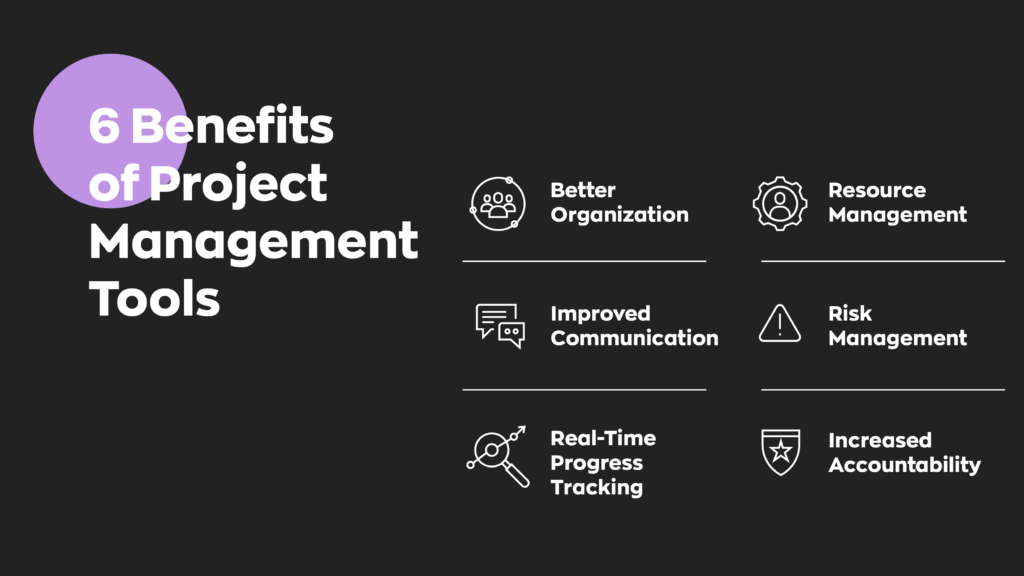
Project management software reduces coordination and rework
Most businesses have a lot to balance. Between marketing, product development, customer service, operations, and sales, deciding where resources should go isn’t always easy.
Project management, or creating a roadmap to achieve specific objectives, helps solve that problem.
Project management software gives employees a shared place to see priorities, responsibilities, deadlines, and progress. That can reduce time spent chasing updates, searching for documents, sitting through unnecessary meetings, or redoing work because responsibilities weren’t clear.
Useful features include:
- File sharing: Employees can securely share files and information within the project.
- Real-time updates: Contributors can see changes to objectives, deadlines, and project status as they happen.
- Calendar integration: Important meetings and due dates can sync with your team’s existing calendars.
- Task assignment: Managers can assign specific responsibilities to individual employees.
- Time tracking: Employees can compare how long work actually takes against estimates.
The result is greater accountability and fewer coordination headaches. Everyone knows what they’re responsible for and, just as importantly, what everyone else is doing.
Workflow automation reduces repetitive manual work
Time-saving tools are one of the fastest ways to improve efficiency and reduce costs.
Workflow automation is particularly useful for predictable, repetitive tasks such as data entry, invoice generation, notifications, approvals, and transferring information between systems. Automating these processes can also lower the possibility of human error.
That frees employees to spend more time on work requiring judgment, creativity, or expertise.
Automation can also accelerate processes such as employee onboarding and inventory management.
Tools like Asana and Trello can help businesses manage tasks and employee time, while platforms like Zapier and IFTTT connect applications to automate workflows between them.
The trick is choosing the right tasks. If employees repeat the same predictable process dozens or hundreds of times, you’ve probably found a good candidate.
AI reduces routine processing and support work
AI takes automation a step further because it can work with information that isn’t always perfectly structured.
For example, businesses can use AI to summarize documents, categorize requests, extract information from invoices, draft routine communications, analyze large datasets, or answer common customer questions.
That doesn’t mean every process should suddenly become an AI process. Tasks involving sensitive decisions, unusual exceptions, or significant financial consequences still benefit from human oversight.
The biggest cost-saving opportunities generally come from high-volume, predictable work where employees currently spend significant amounts of time reading, sorting, entering, or retrieving information.
Reduce inventory, warehouse, and supply-chain costs
Inventory can be one of the largest investments a product-based business makes. Unfortunately, it’s also an easy place for money to get stuck.
Buy too much and you’re paying to store products that aren’t selling. Buy too little and you risk stockouts, rush orders, and lost sales.
Technology can help businesses find a better balance.
Inventory software reduces overstock and carrying costs
Inventory management means tracking products as they move through purchasing, storage, sales, and fulfillment.
Without reliable inventory data, businesses may purchase products they already have or hold more safety stock than they actually need.
Inventory management software gives you better visibility into what’s in stock, what’s selling, and when products need to be reordered. That information can help you reduce storage costs, improve forecasting, and more.
Reducing unnecessary stock doesn’t just save warehouse space. It also frees up cash that would otherwise remain tied up in inventory.
Demand forecasting reduces stockouts and excess purchasing
Demand forecasting uses historical sales and other relevant information to estimate future customer demand.
Better forecasts give businesses a clearer idea of how much inventory they’ll actually need. That can help prevent two expensive problems: ordering too much and ordering too little.
More accurate forecasts can reduce excess purchasing and the carrying costs that come with it. At the same time, maintaining appropriate stock levels can help businesses avoid lost sales and customer frustration.
Forecasts will never predict the future perfectly (unfortunately, you’d need a crystal ball for that). But even an imperfect data-driven forecast gives you something more useful than guesswork.
Barcode and real-time tracking reduce inventory errors
Inventory records only help if they reflect what’s actually sitting on the shelf.
Barcode systems simplify inventory tracking by replacing manual entries with scans. Employees can scan products during stock transfers, receiving, picking, packing, and shipping rather than repeatedly typing product numbers and quantities.
Combine barcoding with real-time inventory tracking, and your system can update quantities automatically as inventory moves.
That can reduce receiving mistakes, picking errors, misplaced inventory, and discrepancies between your records and physical stock. It also means employees spend less time investigating why those numbers don’t match.
Reduce manufacturing costs
Manufacturers face another layer of complexity because inventory isn’t simply purchased and sold. They deal with various types of inventory, including raw materials and work-in-progress components, which have to move through production before becoming finished products.
Technology can provide better visibility into that process.
Manufacturing software improves material planning
If you manufacture any portion of your products, you already understand how important effective material planning is.
Manufacturing management software can connect bills of materials, raw-material inventory, work orders, and finished goods so businesses can understand what they have and what they’ll need for upcoming production.
That helps purchasing teams avoid buying components unnecessarily while reducing the risk that production stops because an important component isn’t available.
Production tracking reduces labor and process waste
Manufacturing software can also track how products move through production, including:
- How materials and resources are used.
- Production quantities and work orders.
- Troubleshooting and quality-control processes.
- Time spent between production stages.
- Movement from production to finished inventory.
That information makes waste easier to identify.
If one stage consistently takes longer than expected or consumes more materials than planned, you have something concrete to investigate rather than simply accepting higher production costs.
Integrated inventory data improves purchasing and COGS visibility
Manufacturing, purchasing, and inventory data shouldn’t live in separate silos. When these systems share information, purchasing teams can see what materials production actually requires. At the same time, finance and operations teams gain better visibility into the materials and other costs flowing into finished goods.
That creates a clearer picture of your cost of goods sold (COGS) and makes it easier to understand where production costs are coming from.
Reduce finance and software-administration costs
Not every cost reduction happens on a warehouse or factory floor.
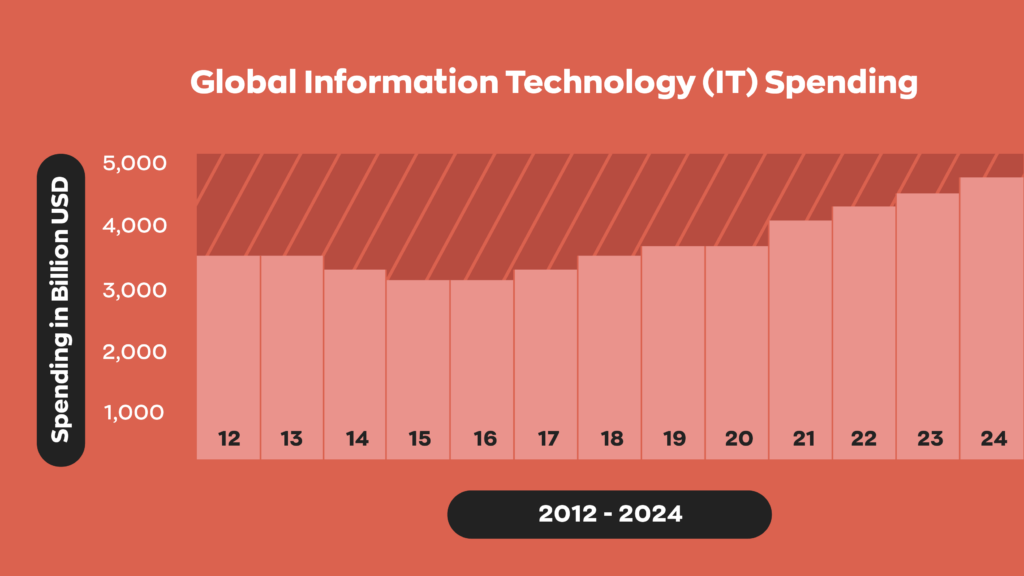
Finance, IT, and administration contain plenty of repetitive work too, particularly when employees spend time gathering data from different systems or maintaining tools nobody really needs.
Financial software reduces manual accounting work
Digital financial tools can improve both the efficiency and accuracy of expense management, bookkeeping, reporting, and forecasting. The best accounting tools also support easy document sharing and analytics through the cloud.
Accurate financial decisions start with accurate data. Financial software can reduce the manual work involved in aggregating, cleaning, and reporting that information while giving business leaders a more consistent dataset to work from.
It can also help companies maintain more organized records for financial reporting and tax preparation.
Cloud tools reduce duplicated files and infrastructure overhead
Cloud databases and collaboration tools make it easier for employees to work from the same information without emailing files back and forth or maintaining separate copies.
That can reduce time spent searching for documents and figuring out which version is current. Cloud platforms can also reduce some of the infrastructure businesses need to purchase and maintain themselves while keeping data secure.
Of course, moving everything to the cloud doesn’t automatically save money. Those monthly subscriptions have a habit of multiplying. Which brings us to another easily overlooked cost.
SaaS audits eliminate redundant subscriptions
Software is incredibly easy to buy. Unfortunately, that also makes it incredibly easy to forget about.
Different departments may subscribe to tools with overlapping features. Former employees can leave unused licenses behind. Teams may continue paying for applications they tried six months ago and haven’t opened since.
A SaaS audit involves creating an inventory of your software subscriptions and reviewing who uses them, what they cost, when they renew, and whether another application already performs the same job. From there, businesses can cancel unused applications, consolidate overlapping tools, reduce unnecessary licenses, and renegotiate contracts before renewal.
It’s basically inventory management for your software stack. And just like physical inventory, paying for something nobody uses is rarely a great investment.
Reduce sales and customer-service costs
Sales and customer service require plenty of human interaction, but that doesn’t mean every part of the process needs to be manual. Technology can handle much of the administrative work surrounding those interactions, giving employees more time to focus on customers themselves.
CRM software reduces sales administration
Customer relationship management (CRM) systems centralize customer information, communications, sales activity, and follow-ups.
Instead of searching through emails, spreadsheets, and personal notes, sales teams can see customer history in one place. Automated reminders and workflows can also reduce the administrative work involved in managing leads and following up with prospects.
CRM data can also help companies understand customer preferences and create more personalized experiences. Whether that’s an emailed recommendation or a custom discount, personalization can improve the customer experience.
Customer-service automation handles routine requests
Not every customer question needs a person to answer it. Chatbots, AI assistants, self-service portals, and automated workflows can handle routine requests such as order status inquiries, password resets, basic troubleshooting, and frequently asked questions.
This allows customer-service employees to spend more of their time handling complicated or sensitive issues where human judgment actually matters.
The important distinction is routine. Automation should remove unnecessary work from your support team, not make it unnecessarily difficult for customers to reach a person.
Wholesale software reduces manual B2B order processing
Wholesalers often manage large orders, customer-specific pricing, inventory availability, invoicing, and product distribution simultaneously.
Wholesale inventory software can centralize much of that information and reduce the manual processing involved in B2B orders.
The right system can also support alternative distribution models. For example, businesses may use a dropship-to-wholesale model to expand without taking on the same upfront inventory and storage requirements.
Which cost-saving technology should your business implement first?
We’ve covered a lot of technology. That doesn’t mean you should run out and buy all of it. In fact, doing so would probably accomplish the exact opposite of what we’re trying to do here. Instead, start with the processes already costing your business the most money.
Start with your largest repetitive cost center
Look for work that’s both expensive and repetitive.
Maybe warehouse employees spend hours every week manually counting inventory. Maybe your accounting team repeatedly enters the same information into multiple systems. Or perhaps your purchasing team keeps placing emergency orders because inventory data isn’t reliable.
Quantify the problem wherever possible. If five employees each spend four hours per week correcting inventory discrepancies, that’s 20 hours of labor every week. Suddenly, the potential value of solving that problem becomes much easier to calculate.
Compare implementation cost, risk, and expected savings
Once you’ve identified the problem, compare potential solutions based on three things:
- What will implementation cost?
- How much money could the technology realistically save?
- What happens if implementation goes wrong?
That last question matters. Replacing a minor administrative tool carries relatively little operational risk. Replacing the system responsible for inventory, accounting, or production can affect your entire business.
Expected savings should always be weighed against both cost and operational risk.
Prioritize technologies that improve an existing process
Technology works best when it improves a process you already understand. Automating a broken process doesn’t magically fix it. It just helps you make the same mistakes faster.
Before investing in new software, map out how the current process works, identify where time or money is being wasted, and determine exactly what the new technology needs to improve. That also gives you something incredibly useful later: a baseline for measuring whether the investment actually worked.
How do you calculate ROI from cost-saving technology?
A technology investment isn’t successful because employees like the interface or because the software has a long feature list. If the goal is reducing business costs, you need to measure whether costs actually went down.
Establish the current cost baseline
Start by measuring what the existing process costs before you change anything.
Depending on the technology, that might include:
- Employee hours.
- Error rates.
- Inventory carrying costs.
- Stockouts.
- Expedited orders.
- Software subscriptions.
- Infrastructure costs.
- Returns or incorrect shipments.
- Production waste.
You don’t need to measure everything. Focus on the costs the new technology is specifically supposed to improve.
Measure labor, error, inventory, and software savings
Once the system is running, measure those same costs again. For example, if automation reduces a weekly administrative process from 10 employee-hours to 2, the difference represents 8 hours of potential labor savings. Inventory technology might instead reduce average inventory levels, write-offs, stockouts, or warehouse errors.
Software consolidation could eliminate $10,000 in unnecessary subscriptions every year. Keep in mind thought that different technologies produce different types of savings.
Include implementation, training, and subscription costs
Don’t forget the other half of the equation.
Technology costs more than its sticker price. Depending on the project, total costs can include:
- Software subscriptions or licenses.
- Implementation fees.
- New hardware.
- Integrations.
- Data migration.
- Employee training.
- Internal implementation time.
- Ongoing support and maintenance.
Ignoring these expenses makes almost any technology investment look better than it really is.
Calculate payback period and ongoing ROI
Once you know your costs and savings, you can calculate the return.
A simple ROI calculation looks like this:
ROI = (Total savings – total technology cost) ÷ total technology cost × 100
You can also calculate the payback period:
Payback period = Initial investment ÷ monthly savings
For example, imagine a new system costs $12,000 to implement and saves your business approximately $2,000 per month.
Your payback period would be 6 months.
After that point, assuming those savings continue and you’ve accounted for ongoing costs, the investment begins producing a positive return.
How to implement technology without creating new costs
There’s a slightly ironic problem with cost-saving technology: implementing it badly can create more costs. Employees need training. Systems need integrations. Processes change. And if nobody actually uses the new tool, you’re left paying for another subscription on top of the original problem.
A careful rollout helps prevent that.
Simplify the process before automating it
Start by examining the process itself.
- Are there unnecessary approval steps?
- Is the same information being collected twice?
- Does a report exist simply because “we’ve always done it that way”?
Remove unnecessary work before introducing technology. There’s little value in spending money to automate a task that shouldn’t exist in the first place.
Pilot one measurable workflow
Instead of changing everything at once, choose one process with a measurable outcome. For example, you might introduce barcode scanning in one warehouse area before rolling it out across every location.
Measure picking accuracy, processing time, and inventory discrepancies before and after the pilot. If the numbers improve, you’ve got evidence to support a larger rollout.
Integrate systems to avoid duplicate data entry
Disconnected technology can simply replace one manual process with another. For example, if your accounting system doesn’t communicate with inventory software, employees may still need to manually transfer information between the two.
Look for integrations that allow information to move between the systems your business already relies on. The fewer times employees need to re-enter the same information, the fewer opportunities there are for errors.
Train users and measure adoption
Software only produces value when people actually use it. Training should explain more than which buttons employees need to click. People should understand how the new process works, why it’s changing, and how the technology fits into their existing responsibilities.
Most importantly, measure adoption after implementation. If only half the team is using the system correctly, your expected savings probably won’t materialize.
Review savings against the baseline
Finally, go back to those numbers you collected before implementation.
- Did employee hours decrease?
- Did error rates improve?
- Are you carrying less excess inventory?
- Did unnecessary software spending actually disappear?
Compare your results against the original baseline at regular intervals. If the savings aren’t there, investigate why. Maybe employees need additional training. Maybe the workflow needs adjusting. Or maybe the technology simply isn’t delivering the value you expected. That’s useful information too.
How inventory software reduces business costs
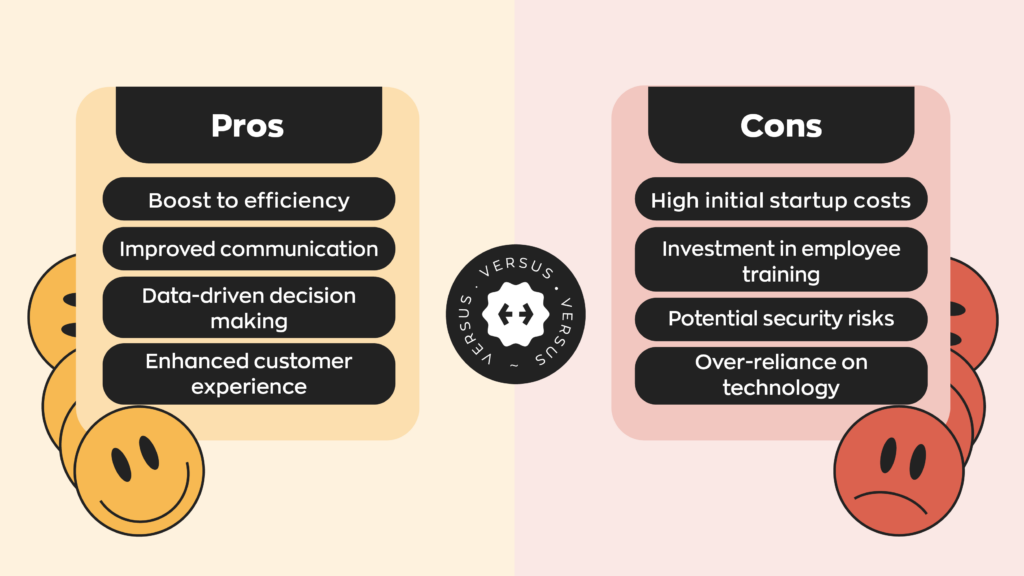
For product-based businesses, inventory is often one of the best places to look for cost savings. That’s because poor inventory management doesn’t create just one expense. It creates several: excess inventory, warehouse space, stockouts, emergency purchases, picking mistakes, counting errors, and hours of administrative work.
Inventory software tackles these costs by giving businesses better information about what they have, where it is, and what they need next.
Reduce excess inventory and carrying costs
Every product sitting on a shelf represents money your business has already spent but hasn’t recovered through a sale. And holding that product creates additional costs.
You may need warehouse space, insurance, labor, utilities, and equipment to store and manage it. Inventory can also become damaged, obsolete, or expire before it’s sold.
Inventory software provides visibility into stock levels, sales history, and product movement so businesses can identify slow-moving inventory and avoid repeatedly ordering products they already have enough of. That helps reduce both excess stock and the carrying costs attached to it.
Prevent avoidable stockouts
Too much inventory costs money, but so does too little. Stockouts can mean lost sales, unhappy customers, production delays, or expensive last-minute orders.
Inventory software helps businesses track available quantities and set reorder points so purchasing teams know when inventory is approaching a critical level. That doesn’t eliminate every stockout. Supplier delays and unexpected demand still happen. But it can eliminate the avoidable ones caused by poor visibility or simply forgetting to reorder.
Improve purchasing and reorder decisions
Good purchasing decisions depend on good inventory data. If you know how quickly products sell, how much inventory you already have, and how long suppliers take to deliver new stock, you can make much more informed purchasing decisions.
Instead of ordering based on instinct, inventory software can give your team the information needed to decide what to order, how much to order, and when to place the order. Over time, that can help businesses maintain enough inventory to meet demand without unnecessarily tying up cash.
Reduce picking, receiving, and counting errors
Manual inventory processes leave plenty of room for mistakes. A worker can mistype a SKU, receive the wrong quantity, pick the wrong product, or forget to record an inventory movement altogether.
Barcode systems reduce that manual input. Employees can scan products as they’re received, moved, picked, and counted. Each scan creates a digital record of the transaction and updates inventory quantities accordingly. That means fewer mistakes to investigate and fewer hours spent correcting inventory records later.
Connect inventory, sales, accounting, and fulfillment
Inventory doesn’t exist independently from the rest of your business. A sale changes your stock level. A purchase changes what you owe a vendor. A shipment affects fulfillment. Manufacturing consumes materials and creates finished goods. When those processes operate in disconnected systems, employees often end up transferring information manually between them.
Inventory software like inFlow can connect inventory management with purchasing, sales, manufacturing, barcoding, and other parts of your workflow. Integrations can also connect inventory data with accounting, ecommerce, and other systems your business already uses. That gives your team a more consistent view of what’s happening across the business while reducing duplicate data entry.
And ultimately, that’s where technology tends to deliver the greatest cost savings. Not by adding another tool for the sake of having one, but by removing unnecessary work, reducing costly mistakes, and helping your team make better decisions with the resources you already have.
0 Comments